One platform for the whole bid.
Measure quantities with precision, run your entire pipeline, and win more work, all in one place. From first measurement to final award.
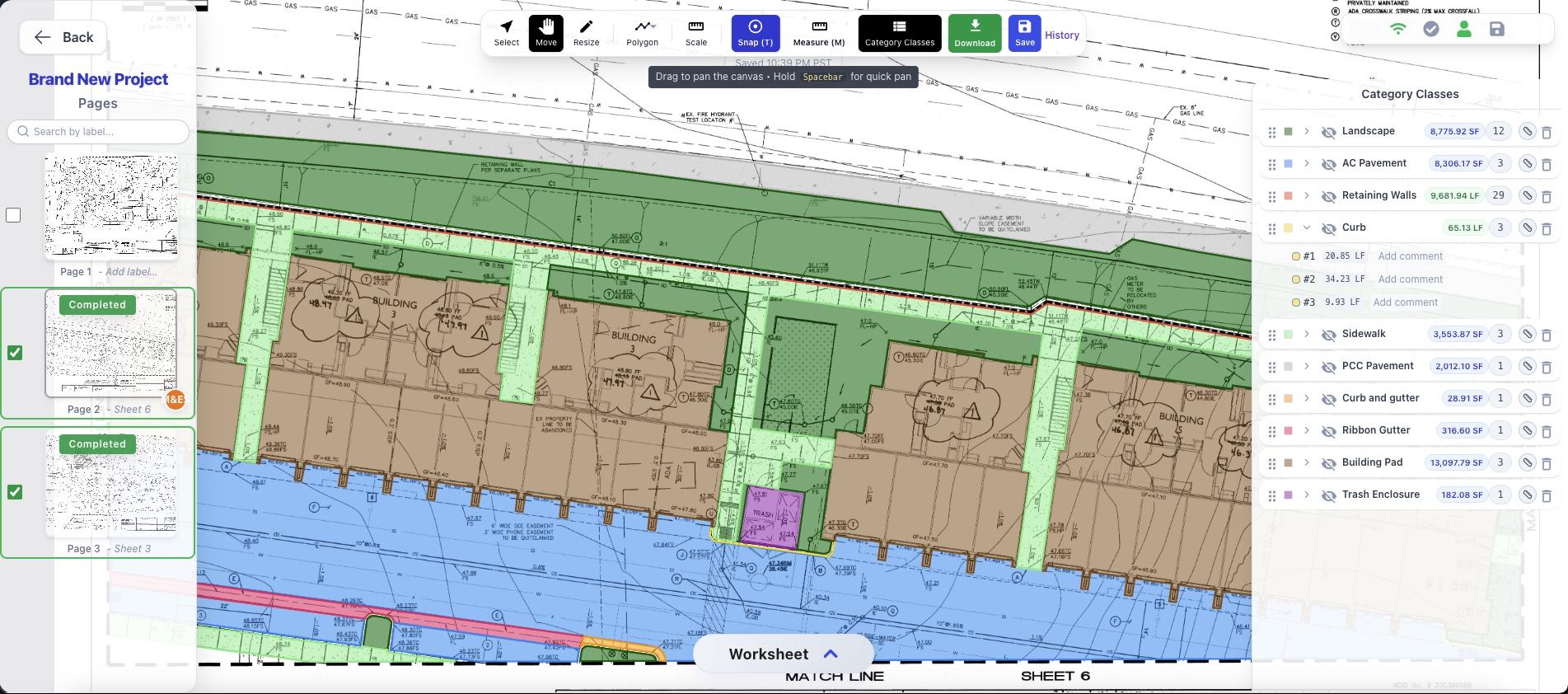
Built for estimators, general contractors & specialty trades
Measure in minutes
Auto trace linework, drop counts, and tally lengths & areas on any PDF.
AI on every plan
Scale detection, sheet labels and construction notes, read automatically.
Built to collaborate
Your whole team on the same takeoff, updating live in real time.
Exports in one click
Priced, organized quantities out the door in a single click.
 Bidscreen Cloud
Takeoffs, reimagined.
Upload a plan and start measuring in seconds, right in your browser, on any Mac or PC. Bidscreen Cloud does the tedious part so your estimators can move fast and bid with confidence.

Auto Trace in one click
Snap straight onto the drawing's linework and trace walls, curbs and pipe runs in seconds, with no more clicking point by point.

Count in a flash
Tag a symbol once and tally every match across the sheet.
Scale has been identified from your plans. AI detection may contain errors, please verify.
Apply the scale "1" = 20'" to this page?
Or apply to multiple pages
Only one scale per page; applying replaces any existing scale.
AI detects your scale
Read straight from the title block, then apply to one page or the whole set.

True arcs & curves
Measure curved curbs, cul de sacs and radii with real arc segments: accurate lengths and areas, never faceted approximations.
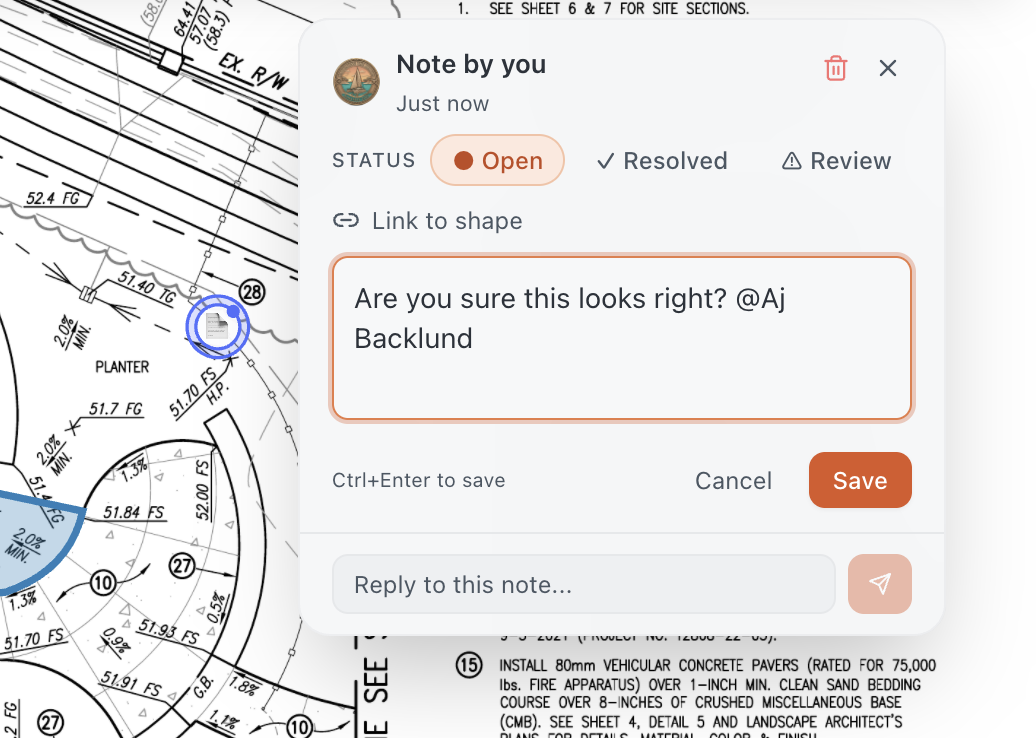
Collaborate right on the plan
Drop notes anywhere on the drawing, @mention teammates, and track them as Open, Review or Resolved.
AI Page Labels
32 labels detected from title blocks
AI-extracted labels may contain errors. Please verify.
AI labels every sheet
Sheet numbers and titles pulled from your title blocks, ready to apply across the set.
Measure the curb once. Assemblies price the rest.
The takeoff is the part people picture. Then comes the part nobody puts in a brochure: exporting the quantities and typing them back into a spreadsheet, row by row, price by price. Assemblies end that hand-off. Attach a priced recipe to a construction class, and one measurement reports the material, labor, equipment and subcontract that go with it, at your rates.
Attach a recipe to the class.
An assembly is a list of what one unit of the class consumes. A flat quantity where the math is flat, a formula where it is not. Waste sits on the material lines, round-up on the ones you buy in lengths, and anything the plan cannot tell you becomes a named variable. Every line points at a resource in your library, which is where its price lives.
Shown: the shipped 18" RCP Storm Pipe preset. Trench width is a class constant; average depth is marked asks on draw.
Draw it. It asks only what the plan can't say.
Trench width never changes, so it never asks. Average depth changes run to run, so the class asks the moment the shape commits, and shows you what that run generates while you type. Set it once for the session, or answer it per run.
18" RCP Storm Pipe
Values for the run you just drew
This run generates
Flip the worksheet to Items.
Every run is there with its priced lines under it. Quantities are worked out per shape and then added up, so a rounding or a crew rate stays honest across runs. Waste and round-up apply to the job total. Change the depth on run 2 and run 1 does not move.
| Item | Qty | Unit | Unit cost | Total |
|---|---|---|---|---|
| 18" RCP Storm Pipe525 LF · 2 runs | $31,372.88 | |||
| 18" RCP Class III pipe | 528 | LF | $48.00 | $25,344.00 |
| Trench excavation | 405 | CY | $9.50 | $3,847.50 |
| #57 bedding stone | 42.88 | TN | $32.00 | $1,372.00 |
| Pipe crew | 4.38 | HR | $185.00 | $809.38 |
| Run 1340 LFAvg depth 8 ft | ||||
| Run 2185 LFAvg depth 5 ft | ||||
525 LF of storm pipe drawn as two runs, priced without typing a single row. Unit costs stand in for your own Resource Library prices.
238 ready-made presets
Across 29 trades, from storm pipe to drywall. Every number in them is a starting point you edit, never a quote.
A Resource Library
One place your prices live, with price-book import. Change a rate once and every assembly that uses it follows.
Rate Tables you pin to a bid
Price a job against a specific table without disturbing the company defaults. The price you set by hand always wins.
Two training manuals and five help articles ship with it, right where you use them.
 Pursuit
Then close the bid.
The takeoff is half the job. The other half is chasing quotes through inboxes, remembering who you sent plans to, and finding out three weeks later that the GC awarded it to someone else. Pursuit is the CRM and bid command center that carries every opportunity from first contact to signed contract, with the takeoff already attached.
- Every customer, vendor and contact in one place, with the full history behind them
- Quotes, RFIs and RFQs drafted, sent and tracked end to end
- Bid dates, checklists and follow-ups that fire on schedule, not when someone remembers
- Email built in: save an Outlook or Gmail thread to the project in one click
- AI that drafts, summarizes and reads the documents alongside your estimators
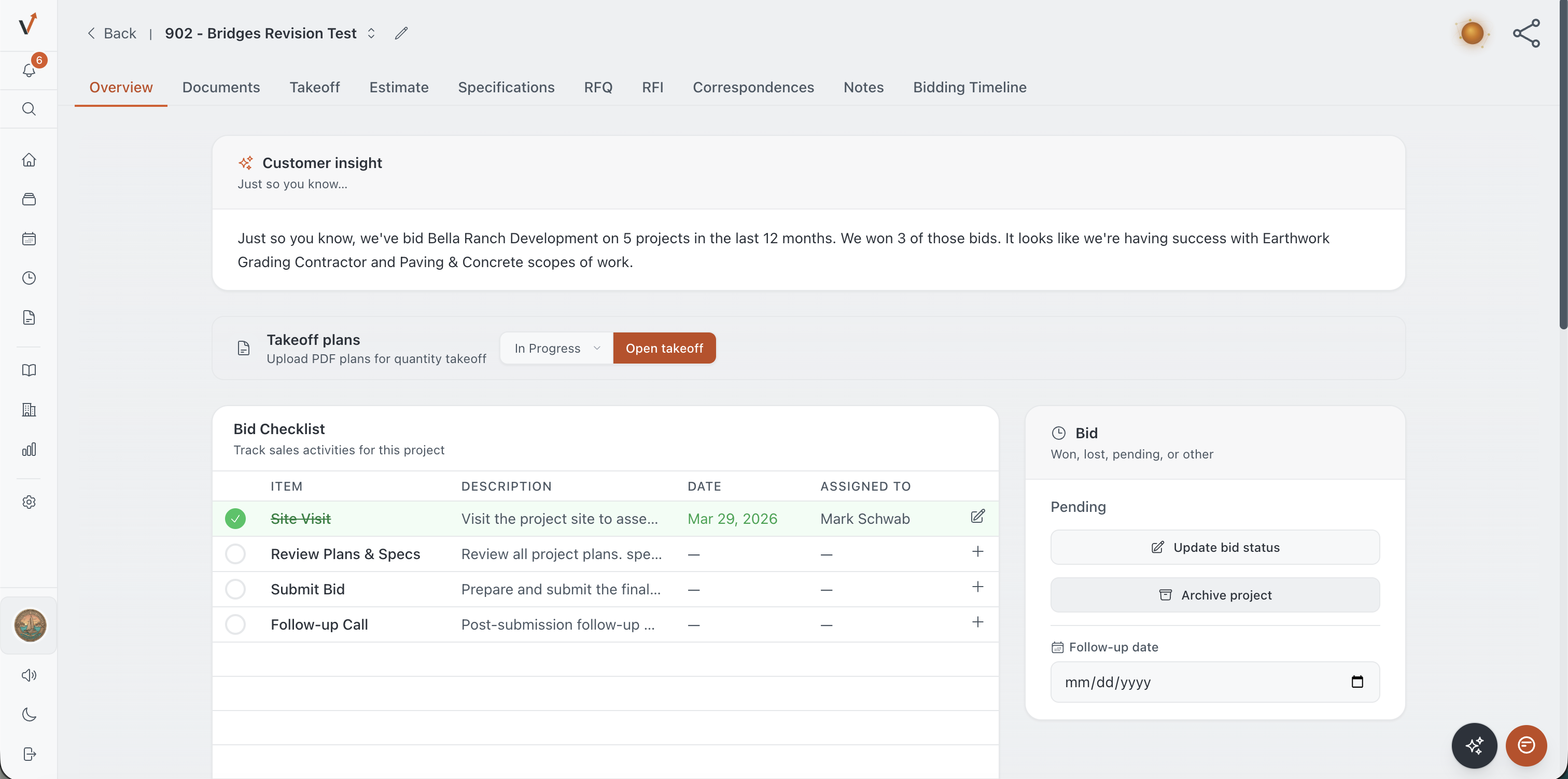
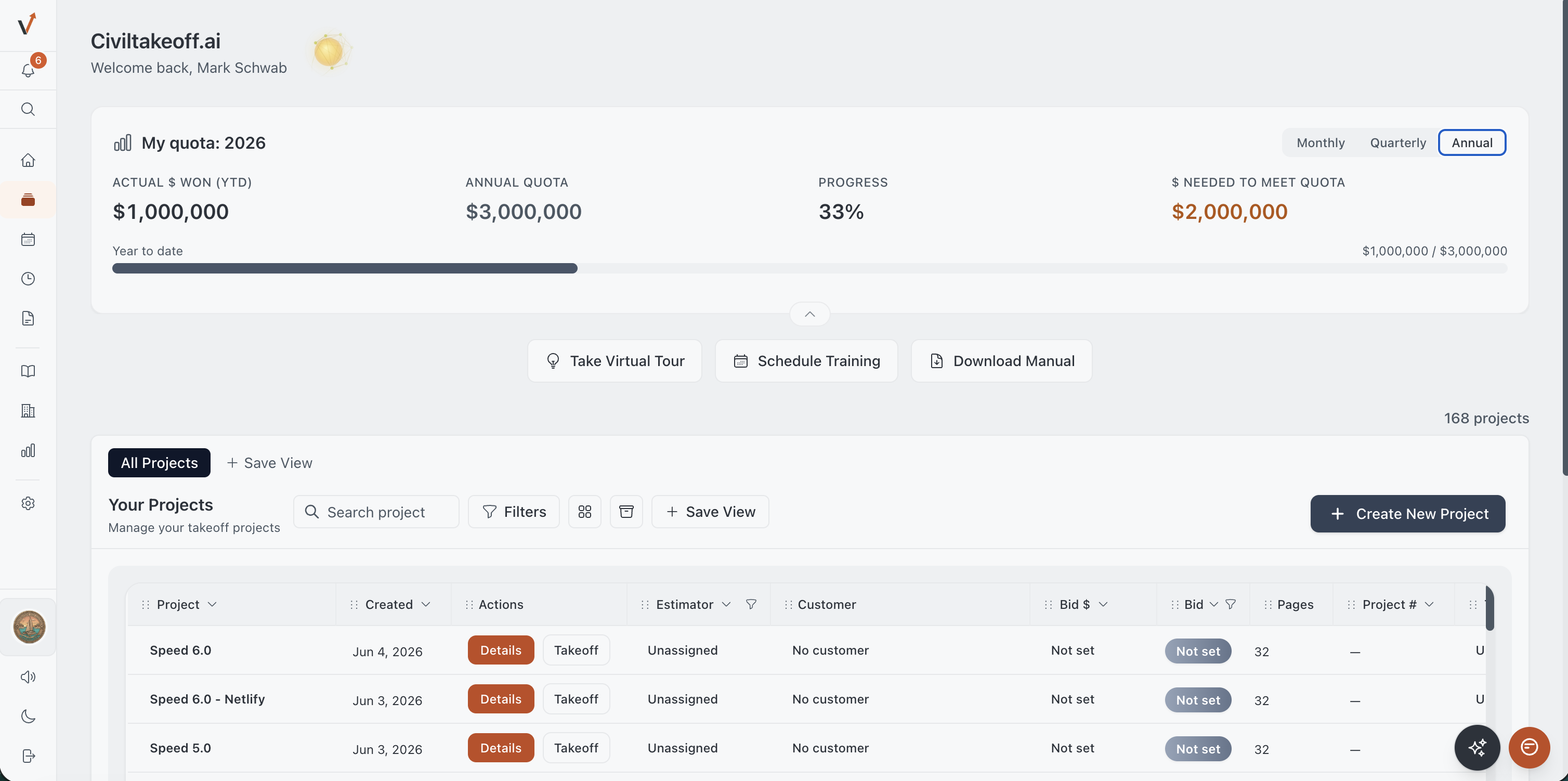 Inside Pursuit
Everything the bid touches, in one place.
A takeoff is one number in a bid. Pursuit holds the rest: the plans and specs, the vendor quotes, the emails, the follow-ups, the due date, and the record of whether you won. Nothing lives in one estimator's inbox.
Ask the project anything.
Drag in plans, specs, geotech reports, addenda and emails. Ask a question the way you would ask a coworker, and the answer comes back cited to the exact document and page. No hunting through a 400 page spec at 4pm the day before the bid.
- Plain-English Q&A across plan sets, specs, emails and notes
- Soils report extraction pulled into structured fields, with citations
- PDF stitching, addenda merged, and a clean version history
The soils report sets frost depth at 42 inches below finished grade. Section 32 11 of the spec calls for 48 inches under all paved areas, so the spec governs. Footing detail 3 on C-402 is drawn to 42 inches and will need a clarification before bid.
Sample project. Answers cite the page they came from.
Every conversation, on the record.
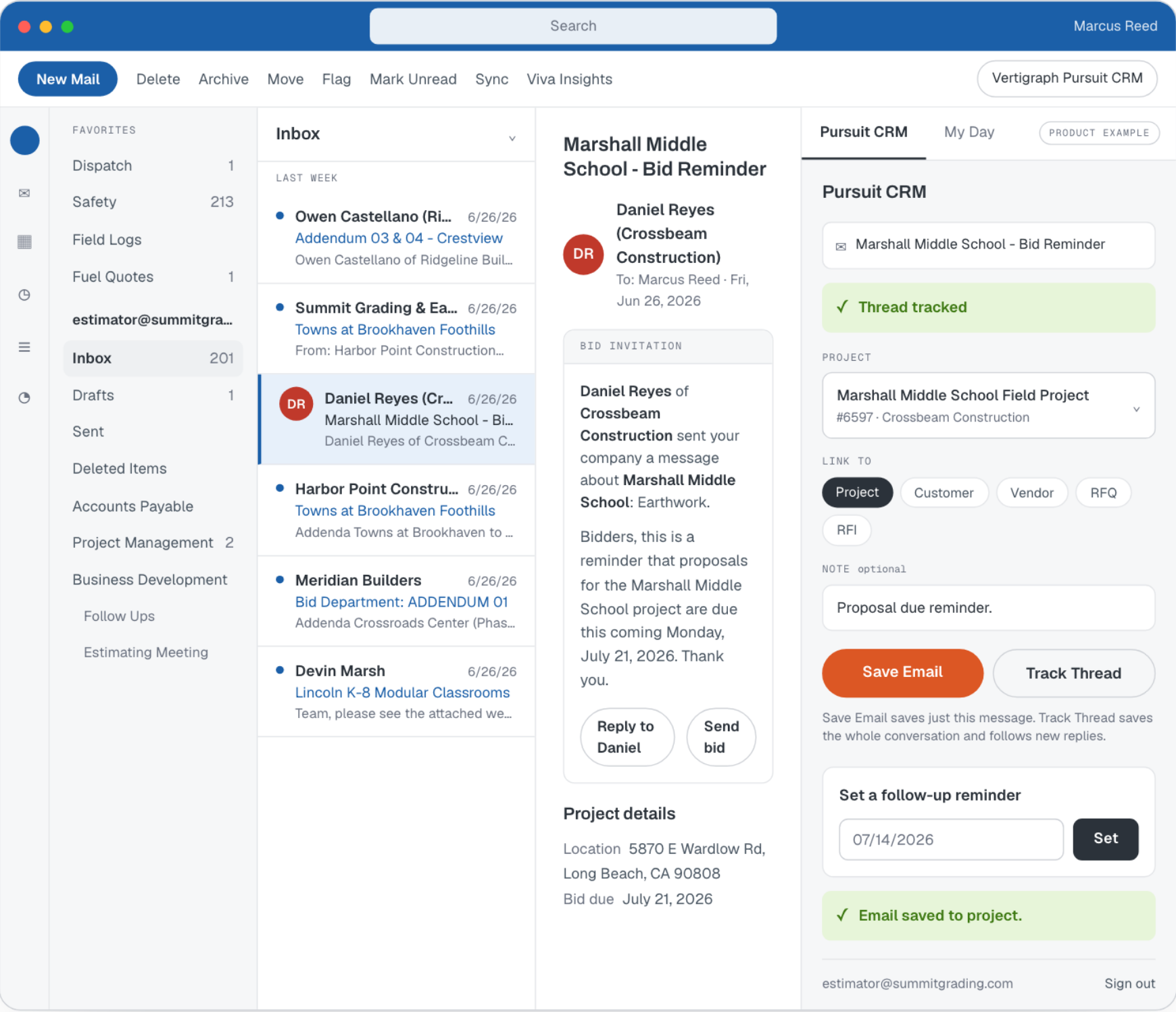
Save an email thread to the project from Outlook or Gmail without leaving your inbox, and it stays attached to the bid. Follow-ups fire on schedule instead of when someone remembers. When the estimator who owned the job is out, the history is still there.
- Outlook add-in and Gmail add-on: save a thread to the project in one click
- Automated vendor and GC follow-up reminders
- Shared bid calendar, checklists per bid stage, and e-signatures on quotes
Know your hit rate. Then bid the work you actually win.
Every bid gets an outcome and a reason. Pursuit turns that into the report most contractors never get to see: which customers award you work, which ones only shop your number, and where your estimators win. Win rate counts decided bids only, so pending work never flatters it.
- Win/loss by customer, project type and region
- AI report builder: describe the report in plain language and it builds it
- Pipeline, quotas and pacing tracked live, not in last Friday's spreadsheet
| Customer | Won | Lost | Win rate |
|---|---|---|---|
| Kellerman Construction | 9 | 3 | 75% |
| Harbor View Partners | 6 | 4 | 60% |
| Delta Site Group | 4 | 5 | 44% |
| Ridgeline Builders | 2 | 11 | 15% |
Decided bids only. Pending work never flatters the number.
Sample data.
One platform for the whole bid
No more stitching together a takeoff tool, a spreadsheet and a CRM. It all lives in one pipeline.

Measure
Bidscreen Cloud

Manage
Pursuit
Win the bid
Signed & awarded
Ready to bid faster and win more?
Create a free account and run your first takeoff today.